

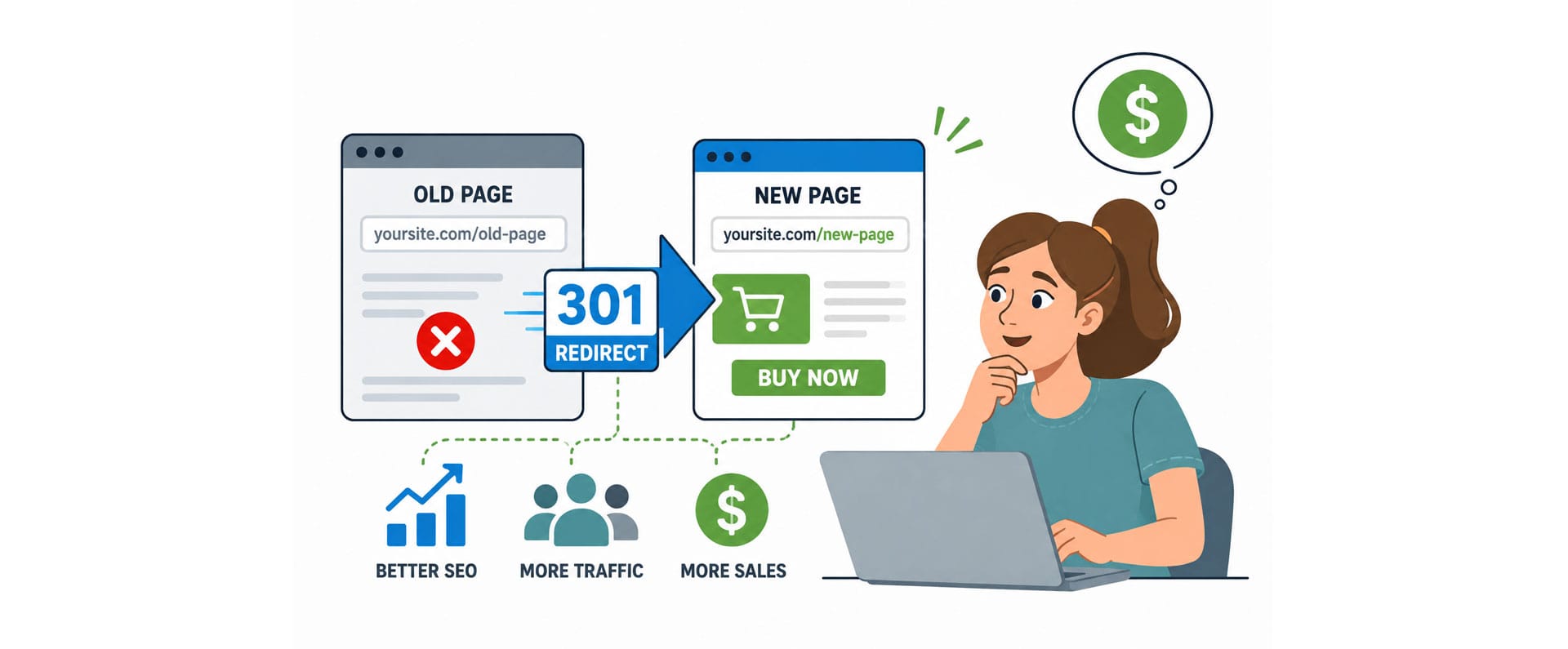
Ever printed a brochure, a business card, or a QR code — only to watch it go stale the moment your website changed? There’s a simple, free tool built into almost every website that fixes this for good: the 301 redirect. In this video, we break down what a redirect actually is (no tech jargon, promise), how businesses use it to build marketing that never expires, and the three most common mistakes to avoid. If you’ve ever wished your links could just… keep up with you, this one’s for you.
Using a VPN and seeing an error?
Click here to open and watch directly on YouTube.
Video Transcript
In today’s video, we’re going to poke at the edges of something technical and geeky, but don’t panic, I promise to avoid any geek-speak, and make this easy to understand.
If you’re selling something online, like books for example? And you’re not already using 301 redirects, then you’re missing out on a powerful promotion and marketing tool.
So, grab a cup of coffee and relax, while I make this topic as easy to understand as I can.
Let’s kick things off with a quick question. When’s the last time you memorized a web address?
Not “typed it in from the email you had open.” Memorized it. Read it once, closed the laptop, and rattled it off later from memory.
Yeah. Me neither. And there’s a reason for that.
Look at this address:
www.mysite.com / store / category / products / special-sale-twenty-twenty-six / index.php?id=42
That’s not a web address. That’s a ransom note. Nobody’s writing that on a business card. Nobody’s saying that out loud in a radio ad. And nobody — I mean nobody — is typing that correctly from memory after hearing it once on your podcast.
So what happens? You print 5,000 brochures with a link nobody can remember, the sale ends, the page moves, and now those brochures are trash. Congratulations, you just paid to advertise a dead end.
There’s a fix for this. It’s been sitting inside your website this whole time, and odds are nobody’s told you about it.
The fix is called a 301 redirect, and here’s the plain-English version: it’s a permanent forwarding address for a web page.
Think about what happens when you move houses. You don’t chase down everyone who might ever mail you a letter. You fill out one form at the post office, and from then on, anything sent to your old address quietly shows up at your new one. You don’t lift a finger again.
Or think of it like the sign taped to the door of a store that just relocated down the street. “We’ve moved — new location two blocks down.” The customer walks up to the old spot, sees the sign, and ends up exactly where they need to be — automatically.
A 301 redirect does that for your website. The visitor types in one simple address. Behind the scenes, your server quietly sends them wherever the real page actually lives. They never see the detour. They just arrive.
So let’s go back to that ugly link from before.
Instead of advertising this monster: www.mysite.com / store / category / products / special-sale-twenty-twenty-six / index.php?id=42 …you advertise this: mysite.com/sale
That’s it. That’s the whole trick.
The visitor types the short version. The server does the heavy lifting in the background and delivers them straight to the real page. Nobody types wrong. Nobody gets lost. Nobody lands on a “page not found” screen because you renamed something eight months ago.
And think about what that simplicity buys you. It’s easier to print. Easier to say out loud on a podcast. Easier to read off a billboard doing 65 down the highway. It just plain looks more professional — because it is more professional. You’re not just making your marketing prettier. You’re removing every tiny bit of friction between “I’m interested” and “I’m on your page.”
Now, I can already feel some of you tensing up, waiting for me to start talking about servers and code.
Relax. You don’t have to build this yourself.
If your site runs on WordPress, it’s already doing a version of this behind the scenes every time it creates a clean page address. And if you want to set up a custom redirect — something like mysite.com/sale — your web host almost certainly has a simple point-and-click tool for it already built into your control panel. No programming required. If it ever gets more complex than that, that’s a five-minute conversation with whoever manages your website, not a project you need to lose sleep over.
That’s genuinely all you need to know about the “tech side.” Let’s get back to the fun part — what this thing can actually do for you.
Here’s where a redirect stops being a neat trick, and starts being an actual marketing strategy.
Normally, every time your promotion changes, your advertising has to change with it. New brochures. New business cards. New graphics on the truck. That’s expensive, and it’s slow.
With a redirect, you flip that completely. You create one simple, permanent address — mysite.com/sale — and print it everywhere. On the brochure. On the sign. On the truck. Then, whenever the promotion changes, you don’t touch any of that printed material. You just change where the link points to, behind the scenes. The printed word stays valid forever. Only the destination moves.
And if you want to see this idea at its absolute best? QR codes.
Think about it — a QR code baked into product packaging, or engraved on a sign at a trade show booth, is basically permanent. You’re not reprinting that. But if that code points to a redirect instead of a fixed page, you can completely change what people see when they scan it — this year’s event, next year’s sale, an entirely new offer — without changing a single physical object. The code stays the same. The world behind it keeps evolving.
That’s not a tech feature. That’s a superpower for anyone who’s ever had to eat the cost of outdated printed materials.
Now, before we go on, I want to share a word about our line of authorcentric t-shirts.
(Authorcentric T-Shit Ad)
We’re talking 301 Redirects. So where can these actually get used? Pretty much everywhere you’d want a short, memorable link. Let’s consider a few examples.
Seasonal Promotions — instead of building a brand-new campaign every single year, you keep one link, like mysite.com/christmas, and just repoint it to whatever this year’s version of the sale is.
Product Launches — mysite.com/new or mysite.com/preorder. Same link, every launch, forever.
Fundraising Campaigns — this one’s a favorite for churches, schools, and nonprofits. mysite.com/donate is short enough to say from a podium, easy enough to put on a paper flyer, and it never has to change even as the specific campaign behind it does.
Authors and Publishers — mysite.com/newbook or mysite.com/freechapter. Say it once on an interview, and it still works two years later pointing at a completely different title.
Notice the pattern? In every single case, the link is boring and permanent. The destination is the exciting part, and it’s free to change as often as you need it to.
Before you run off and start setting these up everywhere, three quick warnings.
First — don’t chain redirects. One redirect pointing to another redirect, pointing to a third. Every extra hop slows the visitor down and makes the whole thing harder to manage. One link, one destination.
Second — use a permanent redirect, not a temporary one, when the move actually is permanent. There’s a difference between “this page moved for good” and “this page moved for a week.” Mixing those up confuses search engines and, eventually, confuses you.
Third — don’t send people somewhere unrelated. If mysite.com/sale suddenly points at your homepage instead of an actual sale, you’ve just trained your audience to stop trusting your links. And trust, once you spend it, is expensive to earn back.
So here’s the whole idea, wrapped up in one sentence: a 301 redirect lets you advertise something simple, forever, while the page behind it keeps changing.
Your customers only ever see the easy version. Your printed materials never go stale. And every time you launch something new, you’re not starting from scratch — you’re just pointing an old, trusted link at a new destination.
It’s a small thing sitting quietly inside your website. But used well? It might be the cheapest, longest-lasting marketing tool you’re not using.
Now, I know what you’re thinking, “TJ, this is hard.” So, who do you know that can help you? Uh-huh, that’s right, the place that says, “Go On and Write. We’ll handle the tech?”
So, what are you going to do? Go write! We’ll handle the tech.
 |
TJ Culler is an author, reader, and an adventurist. She loves working at The Author Spot as an Author Platform Specialist. Her hobbies include hiking, camping, and driving her Jeep in the great outdoors. After publishing her first book in 2017, TJ discovered what a daunting task an author platform really was. She now dedicates her time to helping authors who struggle with technology. |









Recent Comments